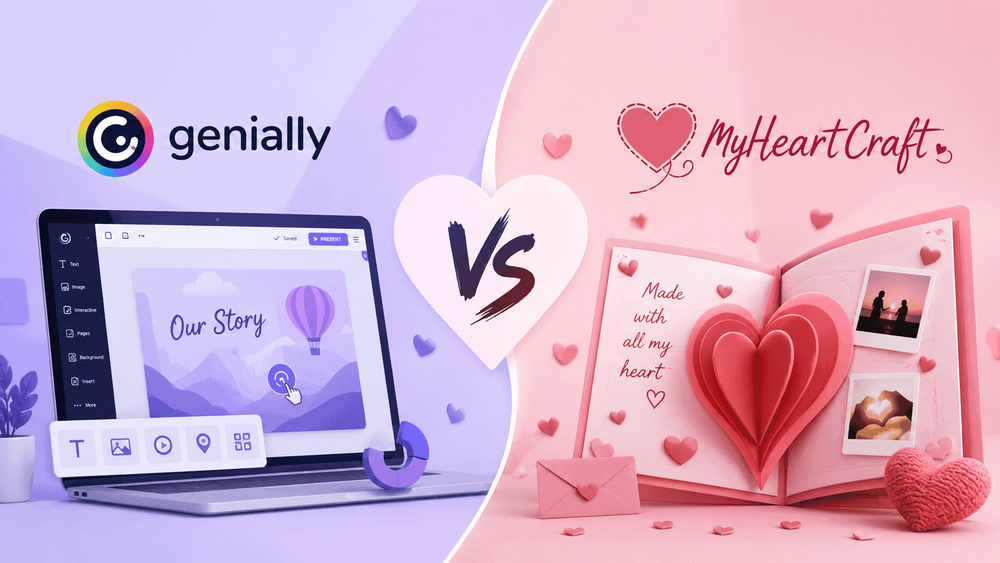
Genially vs MyHeartCraft: The Honest Guide for Romantic Digital Surprises
You've probably been here. It's late, an anniversary or a birthday or a "I just want to do something nice" moment is coming up fast, and your partner is a screen away instead of an arm away. You start typing "interactive romantic surprise" into a search bar, and somewhere in the results you find Genially, a slick platform full of animated templates. Then you find a tool like MyHeartCraft, which promises a ready-made love confession or photo reveal you can send as a link. And now you're stuck on the real question: which one should you actually use?
This is the honest comparison I wish existed when I started looking. I've spent a lot of time inside both kinds of tools, and I'm not going to pretend one is perfect and the other is garbage. Genially is genuinely good at what it does. MyHeartCraft is genuinely good at something narrower. The whole point of Genially vs MyHeartCraft, at least for romance, is figuring out whether you want a blank creative canvas or a finished feeling.
Here's the short version, and then we'll go deep: Genially is a powerful interactive-content studio built for educators, marketers, and trainers, and it can be bent toward romance if you're willing to design it. MyHeartCraft is a small set of romantic surprise links built for exactly one job. By the end of this guide you'll know which fits your moment, your timeline, your budget, and the person you're trying to make smile.
Genially vs MyHeartCraft at a Glance
If you want the answer in ten seconds: pick MyHeartCraft when you want a romantic surprise that's already designed and you just want to personalize and send it. Pick Genially when you want full creative control over an interactive piece and you have an hour to build it. One optimizes for the feeling; the other optimizes for flexibility.
That's the headline, but headlines lie by omission. The two tools barely belong in the same sentence if you look at what they were built for. Genially is a general-purpose interactive content platform. MyHeartCraft is a tiny family of romantic experiences you share as a link. So this comparison isn't "which is the better app." It's "which is the better fit for the specific thing you're trying to pull off."
Let me lay the whole thing out in one table so you can scan it, then I'll defend every row in the sections below.
| What matters for a surprise | Genially | MyHeartCraft |
|---|---|---|
| What it's built for | Interactive presentations, infographics, quizzes, training, marketing | Romantic surprise links (proposal, photo puzzle, birthday celebration) |
| Starting point | A blank-ish canvas or a generic template | A finished experience you personalize |
| Time to send | 30 minutes to a couple of hours | A few minutes |
| Design skill needed | Some (it's a real editor) | None |
| Free version | Yes, unlimited projects, but watermarked | Free to create and preview; small one-time payment to unlock the share link |
| Watermark on free tier | Yes, Genially branding on your creation | No watermark on the finished surprise |
| Privacy / private sharing | Paywalled on free plan | Private shareable link by design |
| Does the recipient need an account or app | No account to view; works in a browser | No account, no app, works in any browser |
| Romantic templates | Valentine's cards, a few love-themed templates | The entire product is romantic by design |
| The "wow" mechanic | Whatever you design | Built in (dodging "No" button, solve-to-reveal, candle-blowing) |
| Best for | People who love to build and customize | People who want the moment, not the project |
Notice the pattern. Almost every Genially answer is "whatever you make it," and almost every MyHeartCraft answer is "it's already done." That single difference drives every recommendation in this article. If you love making things, Genially's open canvas is a gift. If you just want your person to feel something tonight, that open canvas is a chore.
One more framing note before we dig in. I keep seeing people treat this as Genially vs MyHeartCraft like it's a fight between two products in the same category. It isn't. It's a fight between two philosophies of how to surprise someone: build it yourself, or send something built for the purpose. Keep that in your head and the rest of this guide gets easy.
Why "Send a Link" Became a Real Love Language
Romantic digital surprises went mainstream because two things collided: younger couples spend on experiences over objects, and "send a link" became a normal way to share a moment. The result is that an interactive surprise you tap open on your phone now reads as thoughtful rather than lazy, which it didn't a decade ago. That shift is the backdrop for this whole comparison.
The spending data backs this up. Mastercard's Economics Institute, in its Travel Industry Trends reporting, found that as of March 2023, global spending on experiences like travel and dining was up 65 percent compared to 2019, while spending on physical goods was up just 12 percent over the same stretch. The direction is what matters: people are steadily moving money toward moments over stuff. Consumer research from GWI on Gen Z spending habits echoes it, finding that younger consumers prioritize experiences like travel, food festivals, and days out, and are noticeably more likely than older groups to spend on doing things rather than owning them.
For couples, that translates directly. The thing your partner remembers from last year probably isn't the object you handed them; it's the time you did something that felt like you two. A romantic digital surprise is an experience you can deliver from anywhere, which is exactly why the category exists and why tools to make them have multiplied.
The second shift is cultural, and it's about the link itself. A decade ago, sending someone a link instead of giving them a physical thing could read as low-effort. That's flipped. We now share the most meaningful parts of our lives through links and messages: the playlist, the photo album, the video call, the voice note. Sending a beautifully made interactive surprise as a link isn't a downgrade from a physical gift anymore; for a lot of couples it's the most natural channel they have, especially the ones who already live half their relationship over a messaging app. You'll see this everywhere on social platforms, where reaction videos of someone opening an interactive proposal or a surprise reveal rack up millions of views, precisely because the link is the moment.
Distance accelerated all of it. Plenty of modern relationships are long-distance for at least a stretch, whether because of study, work, or just how people meet now. When you can't hand someone a wrapped box, a sent experience isn't a compromise, it's the only option that works, and the tools that do it well have become genuinely important to how couples stay close. A surprise that opens on a phone in another time zone, on time, without an install, solves a problem a physical gift simply can't.
This is the context both Genially and MyHeartCraft are competing inside. Genially rode the broader wave of interactive content becoming normal and expected, mostly in classrooms and workplaces. MyHeartCraft rode the specific wave of couples wanting to send experiences instead of objects. They're surfing adjacent waves, which is part of why they keep getting compared even though they were built for different shores. Both exist because "make something interactive and send it as a link" went from novelty to default.
Knowing that backdrop helps you choose well, because it clarifies what you're really buying. You're not buying software. You're buying a way to deliver an experience, in a moment when experiences are exactly what people value most. The only question left is whether you want to craft that experience by hand or send one that's ready to go, which, you'll notice, is the same question this entire guide keeps circling back to.
What Is Genially, and What's It Actually Built For?
Genially is a cloud-based platform for creating interactive content without code. You use it to build animated presentations, clickable infographics, quizzes, gamified lessons, escape rooms, microsites, and training material that people can interact with in a browser. It's aimed at educators, corporate trainers, marketers, and sales teams who need content that does more than sit still.
That sentence matters, so read it again. Genially was not built for couples. It was built for the slide deck that needed to feel less like a slide deck, the onboarding course that needed clickable hotspots, the marketing microsite that needed an animated reveal. The company's own homepage frames it as turning ideas into interactive experiences, and the audience it names is learning designers, teachers, L&D specialists, marketing managers, and sales directors. Romance is not on that list.
What you get inside Genially is a genuinely capable editor. There's a large template library (the platform advertises over a thousand templates on the free plan alone), drag-and-drop interactivity, animation controls, an AI builder that can draft a creation from a prompt, real-time co-editing, brand kits, live presentation mode with polls, and analytics that track who viewed and clicked what. For a teacher building an interactive review activity, or a marketer building a product explainer, that toolkit is excellent.
Here's the thing about a toolkit, though: it assumes you want to build. Genially hands you the canvas, the brushes, and the paint. Whether the final thing moves someone is entirely on you. That's the right trade for a marketer who needs precise control over every pixel of a campaign. It's a heavier trade for someone who just wants their long-distance partner to wake up to a sweet surprise.
I want to be fair here, because the platform earns real praise. Reviewers consistently call the templates beautiful, the kind of thing that looks like a design agency made it even when you have no design background. The no-code interactivity is legitimately smooth. The cloud-first approach means your work saves automatically and follows you across devices. If your goal is interactive content as a category, Genially is one of the strongest choices on the market, which is exactly why it shows up on every "best interactive content tools" list.
But "strongest interactive content tool" and "best way to surprise the person you love" are different competitions. A Formula 1 car is the strongest thing on a racetrack and a terrible way to pick up groceries. The question isn't whether Genially is good. It's whether Genially is good for this. So let's actually test that.
The features that matter for a presentation, not a proposal
Look at what Genially optimizes for and you can read its priorities like a map. Live polls during a presentation. SCORM export so a course can be tracked inside a learning management system. Brand kits so a company's colors and logo stay consistent across hundreds of creations. View-and-click analytics. Team seats and co-editing.
Every one of those is a workplace feature. None of them helps you say "will you be my girlfriend" in a way that makes her heart jump. You will never need SCORM tracking for a love letter. You will never run a live poll during a marriage proposal. The horsepower is real, it's just pointed at a different road.
That's not a knock on Genially. It's a knock on using a corporate-grade content studio for a two-minute emotional moment. When we get to the scenarios later, you'll see this gap turn concrete.
A Closer Look at Genially's Editor and Templates
Genially's editor is a full canvas with layers, pages, animation timelines, interactivity settings, and a template library that runs into the thousands. It's powerful and well made. The reason it matters for this comparison is that all of that power is exactly what stands between you and a finished romantic surprise, because power in an editor means decisions for the person using it.
Let me actually describe what you're working with, because "it's a full editor" is too vague to be useful. When you open a Genially creation, you get a page-based canvas, similar in feel to a design tool crossed with a presentation builder. You add elements onto the canvas: text boxes, images, shapes, buttons, icons, and interactive hotspots. Each element can be styled, positioned, layered, and animated. You can set what happens when someone clicks or hovers, link pages together, and trigger animations on entrance or interaction. For an interactive lesson or a product microsite, this is precisely the control you want.
The template library is genuinely the star. Reviewers keep using words like "stunning" and "agency-grade," and that praise is earned. The templates cover presentations, infographics, quizzes, escape rooms, timelines, and a seasonal set that includes Valentine's cards. Starting from a template saves you the worst part of the blank canvas, which is the cold start. You're not inventing a layout from nothing; you're editing a professional one.
But here's the part people skim past. A template gets you maybe 60 percent of the way to "this looks designed," and almost none of the way to "this is mine." The 40 percent that's left, the part that turns a generic Valentine's template into your love note, is all manual: your words in every text box, your photos in every image slot, your colors if you stray from the preset, your decision about which animations to keep and which feel like too much. That last 40 percent is where the evening goes.
There's also a learning curve that's easy to underestimate because the editor looks friendly. Friendly UI doesn't mean fast results. The first time you try to make an animation trigger on a specific click, or get an element to behave the same on mobile as on desktop, you'll spend a while hunting through settings. None of it is hard in the way coding is hard. It's just a lot of small skills you acquire by doing, and you probably don't want to acquire them for the first time the night before a birthday.
Compare that to what a purpose-built romantic experience hands you. There's no canvas, no layers, no animation timeline, because those decisions were already made by designers whose entire goal was the romantic payoff. You don't tune the celebration animation on a proposal; it's tuned. You don't lay out the photo reveal; it's laid out. The "editor," such as it is, is mostly a few fields: your message, your photo, your questions. That's the trade in its purest form. Genially gives you a studio and asks you to be the artist. MyHeartCraft gives you the finished piece and asks you to sign it.
I'll say again, because it's easy to read this as Genially-bashing and it isn't: if you want to be the artist, the studio is a gift, and Genially is one of the best studios in its class. The editor's depth is a feature for the person who wants depth. It's friction for the person who wants a feeling. Same editor, two completely different experiences depending on what you walked in wanting.
One practical tip if you do go the Genially route: don't start from a blank creation, ever, for a romantic surprise. Always start from the closest romantic template you can find and edit down. The blank canvas is for people building something with no precedent. For a love note, the template is your friend, and it cuts the worst of the time cost. You'll still do the 40 percent, but you'll skip the cold start.
Can You Use Genially for a Romantic Surprise?
Yes, you can use Genially for a romantic surprise, and the company even offers Valentine's templates for it. You search "Valentine's Day" inside the editor, pick a template like the Valentine's Letter, customize the message, and share the link over a messaging app. So it's possible, and it can look lovely. The catch is everything that happens between "pick a template" and "share the link."
Let me give Genially full credit first, because it deserves it. The romantic templates that exist are pretty. Genially's own blog showcases interactive Valentine's cards, including a Valentine's Letter for sending a heartfelt message, a creative dinner invitation, and a "we make a great team" relationship card. Their pitch is charming: why say it with flowers when you can say it with a genially. For someone who enjoys design and has the time, building a custom interactive card in Genially can absolutely produce something memorable.
Now the catch, and it's a real one. A template is a starting point, not a finished surprise. When you open that Valentine's Letter, you're looking at someone else's words, someone else's layout, someone else's pacing. To make it yours, you rewrite the copy, swap the images, adjust the animations so they trigger when you want, check that it reads well on a phone, and then deal with publishing. On the free plan, that published creation carries a Genially watermark, and private publishing is locked behind a paid tier. So your intimate love note ships with a software company's branding on it unless you pay to remove it.
Think about that for a second. You're trying to create a private moment between two people, and the free version stamps a third party's logo onto it. It's a bit like buying a beautiful card and finding the store's price sticker permanently printed on the front. You can pay to peel it off, but now your free romantic gesture has a cost and a setup step you didn't expect.
There's also the blank-canvas tax. Genially gives you near-infinite freedom, which sounds great until you're staring at the editor at 11 PM trying to decide font sizes and animation timings instead of thinking about what you want to say. Freedom is wonderful when you want to create. It's friction when you just want to connect. I've watched people open a powerful editor full of intention and close it twenty minutes later with nothing sent, because the tool asked them to be a designer when they only wanted to be a partner.
So the honest answer to "can you use Genially for a romantic surprise" is: technically yes, beautifully even, if you treat it as a small design project. If you treat it as a quick way to make someone feel loved, it fights you. That's not a flaw in Genially. It's a mismatch between a build-it-yourself tool and a feeling you wanted ready to go.
If the build-it-yourself part sounds fun to you, great, Genially is a strong pick and you should enjoy it. If it sounds like one more thing on your plate, that's the exact gap MyHeartCraft fills, which is where we go next.
What Is MyHeartCraft, and How Is It Different?
MyHeartCraft is a small family of romantic surprise experiences you create in a few minutes and share as a private link. Instead of a blank editor, you get a finished experience you personalize: a love confession, a solve-to-reveal photo puzzle, or a virtual birthday celebration. The recipient opens the link in any browser, no account and no app needed, and the surprise just plays.
The difference from Genially is the difference between a fabric store and a tailored shirt. Genially sells you the fabric, the thread, and the sewing machine. MyHeartCraft hands you a shirt that already fits and lets you pick the color and stitch your name in. Both can end with something you're proud of. Only one of them assumes you wanted to sew.
There are three core experiences, and each is built around one emotional job.
The first is the Perfect Proposal, an interactive online love confession. You write your question, customize the look, preview it, and get a unique link to send. When your person opens it and goes to tap "No," the "No" button playfully dodges their finger and slides across the screen, refusing to be pressed, until they laugh and tap "Yes." Then a personalized celebration plays. It's the classic moving-button confession that blew up on social media, except you don't have to code it or design it. You just write what's in your heart and send.
The second is the Surprise Photo Puzzle, a solve-to-reveal experience. You upload a photo that means something, write a few custom questions, and send a puzzle link. Your partner has to solve the puzzle to reveal the photo and answer your questions. The clever part is the live sender dashboard: you get a separate link that lets you watch their progress and see their answers in real time as they play. For a long-distance couple, that shared real-time moment is the closest thing to sitting next to each other.
The third is the Virtual Birthday Bash, a personalized 3D celebration. You customize a cake with flavors, candles, and decorations, write a birthday letter, pick the animations, and send the link. The recipient opens it, blows out the candles (yes, actually, using their device), watches confetti, and reads your message. It's a birthday party you can send across an ocean at midnight.
Notice what's missing from those descriptions: no mention of layout decisions, no animation timing settings, no watermark to remove, no publishing flow to figure out. The design work is already done, professionally, with the romantic moment as the goal. Your only job is the part only you can do, which is deciding what to say and which photo to use.
A quick but important note on language and positioning. These aren't apps you install or greeting cards you mail. They're shareable link experiences. There's an Android app on Google Play if you prefer one, but the whole point is that the web version works for anyone, on any device, without downloading anything. You make it on your phone or laptop, you send a link, they tap it, it works. That low-friction delivery is the entire pitch.
So where Genially answers "how do I build an interactive piece of content," MyHeartCraft answers "how do I make this person feel something when I can't be there in person." Same digital medium, completely different starting question. Hold onto that, because the next section is the heart of the whole comparison.
The Real Question: A Content Tool vs. a Feeling
The deepest difference between Genially and MyHeartCraft isn't features or price. It's what each one assumes you're trying to do. Genially assumes you want to create content and gives you a studio. MyHeartCraft assumes you want to create a feeling and gives you a finished moment. Get clear on which of those you actually want, and the choice basically makes itself.
I think most comparison articles get this wrong because they line up feature checklists and declare a winner by counting boxes. Templates: check. Animations: check. Sharing: check. But a romantic surprise isn't won on a spec sheet. It's won in the three seconds after your partner taps the link, when their face does something. No feature list predicts that. The fit between the tool and the moment does.
Here's a way to feel the difference. Imagine two friends, both with the same goal: surprise their long-distance partner on a Tuesday, just because.
The first friend opens Genially. She's a little crafty and has a free evening. She browses templates, picks one, rewrites the text, hunts for the right images, nudges the animations, previews it on her phone, notices the watermark, decides whether the branding bothers her enough to pay, and finally sends a link around 11:40 PM. The result is genuinely nice, and she enjoyed making it. The making was part of the gift to her.
The second friend opens MyHeartCraft on her lunch break. She picks the photo puzzle, uploads a picture from their last trip, types three inside-joke questions, previews it, pays the small one-time fee, and sends the link by 12:09 PM. Then she goes back to work, opens her dashboard later, and watches her partner solve it in real time that evening. The making took nine minutes and she barely thought about the tool at all.
Both surprises are good. But they were built by people who wanted different things. Friend one wanted a project. Friend two wanted a moment. If you know which friend you are, you already know which tool wins for you.
This is also why I bristle when people call MyHeartCraft a "simpler Genially" or call Genially an "overkill MyHeartCraft." Neither is a worse version of the other. They're tuned for different desires. A guitar isn't a worse piano. It's a guitar. If you want to strum something tonight, you don't want a grand piano in your living room, however magnificent the piano is.
The rest of this guide gets practical, because philosophy only takes you so far. We'll compare ease, price, privacy, the recipient's experience, and then run five real romantic scenarios through both tools. But keep the core question in your pocket the whole way: are you here to build content, or to deliver a feeling? Everything else is detail.
The Psychology of a Surprise That Actually Lands
A romantic surprise lands when it does three things: it feels personal, it creates a small moment of participation, and it pays that participation off with an emotional reward. Tools that bake those three beats into the experience tend to land more reliably than tools that leave you to build the beats yourself. That's the real reason purpose-built and general-purpose tools feel so different in practice.
I find it helps to understand why one approach lands more often, instead of just asserting it does. So let's talk about what's actually happening in your partner's head when they open a surprise, because that's the thing you're really designing for.
First, personalization. The brain perks up at anything that's clearly about you specifically. A generic "happy birthday" slides off. A message that references the diner you went to on your third date, or the nickname only you two use, sticks. Both Genially and MyHeartCraft let you personalize, so this beat is available either way. The difference is where your attention goes. When the layout and animations are already handled, all your creative energy flows into the personal details, the words and the photos, which is exactly where personalization lives. When you're also designing the thing, your attention gets split, and the personal details sometimes get less love than the font choices. The tool that protects your attention for the personal part has an edge.
Second, participation. There's a well-known quirk of human attention: we value things more when we do something to get them. Psychologists sometimes call it the effort or "IKEA" effect, the idea that we prize what we had a hand in. Applied to a surprise, it means a moment your partner participates in beats a moment they just watch. Tapping the dodging "No" button, solving the puzzle to reveal the photo, blowing out the candles, these are participation. They turn your partner from an audience into a co-author of the moment. MyHeartCraft's experiences are built around one clear participatory action with a clear payoff. In Genially you can build participation, but you have to design the interaction and, harder still, make it feel emotional rather than quiz-like, since the platform's interaction patterns were tuned for assessment and engagement.
Third, the payoff. Participation without a reward is just a chore. The "Yes" that finally lands after the button stops dodging. The photo that resolves after the last puzzle piece. The confetti after the candles. These payoffs are the emotional climax, the bit that makes someone screenshot the screen or call you immediately. A surprise without a designed payoff can feel like it just sort of ends. Purpose-built experiences engineer the payoff on purpose. A blank canvas leaves the payoff up to you, and "design a satisfying emotional climax" is a tall order at 11 PM.
Put those three beats together and you can predict which surprises land. Personal, participatory, and rewarded surprises land. Generic, passive, anticlimactic ones don't. Neither tool guarantees you the good version, but one of them ships with all three beats pre-built and the other hands you the parts and a manual. If you're a confident builder who wants to compose your own three beats, the parts-and-manual approach can produce something singular. If you just want all three beats to fire reliably, the pre-built version is the safer bet, which is the entire design thesis behind a ready-to-personalize romantic experience.
There's a fourth, quieter factor too: your own confidence going in. A surprise carries your nerves with it. If you're unsure whether the thing you built is good, that doubt leaks into how you send it, the apologetic "hope you like it" text instead of the confident "open this." Sending something you trust changes your posture, and your partner feels that. Removing your doubt is an underrated feature, and it's mostly what "purpose-built" buys you emotionally.
Ease and Speed: Blank Canvas vs. Fill-in-the-Blank
For pure speed and ease, MyHeartCraft wins for most people, because it removes the design decisions entirely. You personalize a finished experience and send it in a few minutes. Genially is easy for an editor, but it still asks you to design, lay out, and publish, which can stretch a simple surprise into an evening project. Easy and fast are not the same thing.
Let me separate those two words, because they get blurred. "Easy" means low skill required. "Fast" means low time required. Genially is reasonably easy in the sense that you don't need to write code, and the drag-and-drop interface is friendly. But easy-to-learn isn't the same as fast-to-finish. A blank canvas is always slower than a filled-in one, no matter how nice the canvas is, because every decision you could make is a decision you now have to make.
Think about everything Genially quietly hands to you as a choice. Which template? What font? What colors, if you stray from the template? Which animation, and when does it trigger? How does it look on a phone versus a laptop? Do you want a cover slide? How many slides total? Where does the interactive element go? Each one is small. Stacked together on a night when you're tired and a little nervous about the surprise itself, they add up to friction. That friction is the price of flexibility, and for the right project it's worth paying.
MyHeartCraft makes most of those choices for you on purpose. The proposal already knows it should be a confession with a dodging button. The puzzle already knows it should hide a photo behind a solve-to-reveal. The birthday experience already knows there should be a cake, candles, and confetti. You're not deciding whether there's a celebration; you're deciding which cake flavor and what your letter says. The structure is locked so your attention goes to the words and the photo, which are the only parts that are truly yours.
I'll put a rough time map on it, based on how these flows actually work rather than a stopwatch I'm asking you to trust blindly.
| Step | Genially (typical) | MyHeartCraft (typical) |
|---|---|---|
| Choose what you're making | Browse and pick a template | Pick a product (proposal / puzzle / birthday) |
| Personalize the content | Rewrite copy, swap images, set animations | Type your message, upload a photo |
| Make it look right on mobile | Check and adjust manually | Already mobile-ready |
| Remove branding | Pay to remove the watermark (free tier) | No watermark to remove |
| Set privacy | Configure / upgrade for private publishing | Private link by default |
| Share | Copy and send the link | Copy and send the link |
Every row on the Genially side has a verb that means work. Every row on the MyHeartCraft side either disappears or shrinks to a single choice. That's the design philosophy showing up as minutes on a clock.
None of this means Genially is hard. If you've ever made a slide deck, you can make a Genially. It means Genially is more, and "more" cuts both ways. More control, more time. More flexibility, more friction. If you find the building enjoyable, the extra time isn't a cost, it's part of the fun, and I'd genuinely point you to Genially. If you find the building tedious, every extra minute is a tax on a gesture that was supposed to feel light.
There's a quieter ease factor too: confidence. With a purpose-built experience, you mostly know how it'll land because the experience was designed to land a specific way. With a blank canvas, you carry a little doubt the whole time. Did I make this good enough? Is the animation too much? Does this read as romantic or as a school project? Removing that doubt is its own kind of ease, and it's the kind people underrate until they feel it.
When you want to skip the doubt and the decisions entirely, you can build a personalized confession link in a few minutes and spend your energy on the message instead of the mechanics. When you want to control every pixel and you've got the evening, Genially is waiting. Speed and ease point one way; creative control points the other.
Pricing and the Watermark Problem
Both tools have a free option, but the free experiences are very different. Genially is free to use with unlimited projects, but free creations carry a Genially watermark and lock private publishing and downloads behind paid plans. MyHeartCraft is free to create and preview, with a small one-time payment per surprise to unlock the private share link, and no watermark or subscription.
Let me unpack Genially's pricing honestly, because "free" is doing a lot of work in that sentence. The free plan is genuinely generous on quantity. You can make as many creations as you want and use a big template library. What you give up is polish and privacy. Your published creations show Genially's branding, you can't publish privately, and you can't download offline copies. To remove the watermark, unlock privacy controls, and add downloads, you move to a paid plan billed per user per month.
On exact prices, I'm going to be careful, because Genially's pricing page is the only source that's reliably current and the numbers shift over time and by billing cycle and region. As of this writing, paid individual plans start in the low double digits per month, with higher tiers (often named along the lines of Pro and Master) adding privacy, downloads, brand kits, and team features as you climb. The most accurate thing I can tell you is to check the live pricing page before you decide, because anything I print here could be stale by the time you read it. What's stable and worth planning around is the shape: free means watermarked and public; paid means clean and private, on a recurring subscription.
That subscription model is the right call for Genially's real audience. A teacher or marketer who makes interactive content every week gets enormous value from a monthly plan. But think about what it means for a one-time romantic surprise. You'd be signing up for a recurring subscription to send one love note without a logo on it. You can cancel after, sure, but now your sweet spontaneous gesture has a sign-up, a payment method, and a calendar reminder to cancel attached to it. That's a lot of overhead for one moment.
MyHeartCraft prices for the moment instead of the month. You create and preview your surprise for free, and you pay a small one-time fee to unlock the private shareable link. No subscription, no watermark, no logo on your love letter, nothing to cancel later. You pay for the one surprise you're actually sending. For a gesture that's meant to be occasional and personal, paying per surprise simply fits the use case better than paying per month.
Here's the comparison laid out plainly.
| Pricing factor | Genially | MyHeartCraft |
|---|---|---|
| Free tier exists | Yes | Yes (create and preview free) |
| Free tier watermark | Yes, Genially branding | No |
| Free private sharing | No (paywalled) | Private link included with the unlock |
| Payment model | Recurring subscription, per user per month | One-time payment per surprise |
| Best value for | Frequent creators (teachers, marketers, teams) | Occasional romantic surprises |
| Something to cancel later | Yes, if you subscribe | No |
I want to be scrupulously fair: if you're going to make interactive content regularly, a Genially subscription can be a bargain, and the watermark stops mattering the moment you're a paying user. The watermark problem is specifically a free romantic surprise problem. It only bites when you wanted a no-cost gesture and discovered the no-cost version brands your intimate message. For that exact situation, a one-time unlock with no logo is the cleaner deal, and it's why a purpose-built proposal link tends to feel less like a software purchase and more like buying a single, finished gift.
Match the payment model to the behavior. Monthly creator, monthly plan. One-off surprise, one-off price. The mismatch, not the dollar amount, is what trips people up.
The Hidden Costs Nobody Mentions
The sticker price is the smallest cost of a romantic surprise. The bigger costs are time, attention, and the risk of the thing not landing, and these are exactly the costs a feature comparison ignores. When you add them in, the two tools look more different than their pricing pages suggest.
Let me name the costs people forget, because they're the ones that actually decide whether you're glad you did this.
The time cost is the obvious hidden one. An hour spent in an editor is an hour you didn't spend doing something else, and on a busy week that hour is expensive even if the software was free. A free Genially creation that takes ninety minutes isn't really free; it cost you ninety minutes you can't get back. A paid purpose-built surprise that takes nine minutes might be the cheaper option once you price your evening honestly. Free software, expensive time, is a real trade and most pricing comparisons pretend time is worth nothing.
The attention cost is sneakier. While you're tuning animations and checking mobile layouts, your attention is on the tool, not on the person. There's something a little ironic about spending your romantic energy fighting software settings. The whole gesture was supposed to be about them, and instead you spent the evening thinking about the editor. A tool that gets out of your way protects the very thing the surprise was meant to express.
The risk cost is the one that stings most when it hits. Every step you have to get right is a step you can get wrong. Forgot to remove the watermark? Now there's branding on your love note. Didn't check mobile? Now it looks cramped on her phone. Left a placeholder line in a template? Now your heartfelt message has "insert your text here" sitting in the middle of it. Each manual step is a small chance of a visible mistake, and visible mistakes in a romantic moment carry more emotional weight than the same mistake in a work slide. Purpose-built experiences have fewer steps, so there are simply fewer places to slip.
There's a reverse hidden cost too, in fairness to Genially: the cost of not being able to customize. If you have a specific vision and a template-based tool can't accommodate it, you pay a different price, the frustration of a tool that won't bend to your idea. For a creative person with a strong vision, that ceiling is a real cost, and Genially's lack of a ceiling is worth paying time for. So the hidden costs aren't all on one side. They're just different in kind: Genially's hidden cost is time and risk, MyHeartCraft's hidden cost is a creativity ceiling.
Here's how I'd weigh it. If your idea is "a sweet, well-made romantic moment for an occasion," the creativity ceiling almost never bites, because the pre-built experiences already cover the common occasions, and the time-and-risk savings are pure win. If your idea is "an ambitious custom interactive production unlike anything pre-made," the ceiling bites hard and the time cost is worth it. Most people, most of the time, are in the first camp and overestimate how much they're in the second.
One more cost worth naming, since it's the saddest one: the cost of the surprise you never send. The most expensive outcome of all is opening a powerful editor, getting overwhelmed by the decisions, and quietly giving up. Nothing sent, nothing felt, the occasion passed. A tool you can finish in minutes has a much lower abandonment rate than a tool that asks for an evening, and a sent imperfect surprise beats a perfect one that stayed in drafts every single time.
Privacy: Who Can See Your Surprise?
For a private romantic surprise, MyHeartCraft has the edge by default, because every surprise is a private link meant for one person. Genially can be private too, but on the free plan private publishing is restricted, so a free Genially creation can be more public than you'd expect. When the content is a love confession, that default matters a lot.
Privacy is the part people forget to check until it's too late, and romance is exactly where it counts. A love letter, a proposal, a photo that means something only to the two of you, these are not things you want floating on a public, indexable page. You want a link you control, that goes to one person, that no stranger stumbles onto.
MyHeartCraft is built around that assumption. Each creation produces a unique link intended for a single recipient, and the content lives behind that link rather than on a public profile. The company is also explicit that generated links contain private user content and shouldn't be shared around or reproduced, which tells you the privacy posture is baked into how the product thinks. You make a thing for one person and you send it to that one person.
Genially's privacy is genuinely capable, but it's a setting, not a default, and on the free plan the good settings are limited. Free creations lean public, and private publishing is part of what you pay to unlock. For Genially's main users that's fine, because a lot of interactive content is meant to be public: a marketing microsite, a published lesson, a portfolio piece. Public-by-default is a feature when you're publishing to the world. It's a hazard when you're whispering to one person and didn't realize the room had a window.
Picture the worst case. You make a free interactive love note in a hurry, you don't dig into the publishing settings, and the creation ends up more discoverable than you assumed. Probably nothing bad happens. But "probably nothing bad happens" is a strange feeling to carry into a romantic gesture. The relief of a private-by-default link is that you never have to think about it. The surprise goes where you sent it and nowhere else.
There's a subtler privacy angle too, around analytics. Genially offers view-and-click tracking, which is great for a marketer measuring engagement and a little odd for a love letter. MyHeartCraft's puzzle has a sender dashboard, but it's framed as a shared moment between two people, you watching your partner solve the thing you made for them, not as engagement metrics. Same underlying capability, opposite emotional meaning, because one was designed for a campaign and the other for a couple.
So if privacy is high on your list, and for a romantic surprise it usually should be, the safe default wins. You can absolutely make Genially private with the right plan and settings. You just have to make it private. MyHeartCraft starts private and stays there, which is one less thing to get wrong on a night you'd rather not be reading publishing documentation.
The Recipient Experience: What Your Partner Actually Gets
Both tools deliver a browser-based experience with no app to install, which is great. The difference is what loads when your partner taps the link. With MyHeartCraft they land directly inside a romantic moment built for them. With Genially they land inside whatever you designed, which can be wonderful or can feel like a slideshow, depending entirely on your build.
This section is about the only person whose opinion actually matters: the one receiving the surprise. You can obsess over features all you like, but the gift is whatever loads on their screen. So let's walk through their side.
Start with the good news that applies to both. Neither requires your partner to download an app or create an account to view the surprise. They tap a link, it opens in their browser, and it works on a phone, tablet, or laptop. That low barrier is huge. The fastest way to kill a surprise is to make someone install something or sign up before they can see it. Both tools clear that bar, and that's worth saying plainly.
Now the difference. With MyHeartCraft, the link opens straight into a designed romantic experience. The confession greets them with your question and the playful dodging "No" button. The puzzle drops them into a solve-to-reveal with your photo waiting at the end. The birthday experience opens on a cake they get to blow out. There's no "loading my project" feeling, no sense that they're viewing content. They're inside a moment, and the moment has a built-in payoff: the "Yes," the revealed photo, the confetti. The emotional arc is engineered.
With Genially, the link opens into your creation, and the experience is exactly as good as your build. If you're skilled and put in the time, it can be stunning, those agency-grade templates are real and your partner might genuinely be wowed. But if you rushed it, the same link can feel like clicking through a nice-looking slide deck. And on the free plan, remember, the watermark is right there on screen during the intimate part, quietly reminding your partner that this came from a software template. That doesn't ruin anything, but it does change the texture of the moment from "you made this for me" to "you used a tool to make this for me."
There's also the matter of what the experience asks of the recipient. A great romantic surprise usually invites participation: a button to tap, a puzzle to solve, candles to blow out, a question to answer. That interaction is what turns a viewer into a participant, and participation is what makes the memory stick. MyHeartCraft's experiences are built around a single, clear interaction with an emotional payoff. In Genially you can build interactions too, but you have to design the interaction and make it feel emotional rather than educational, because the platform's interactive patterns were mostly tuned for quizzes and lessons.
Let me put the recipient's journey side by side.
| Recipient moment | Genially | MyHeartCraft |
|---|---|---|
| Tapping the link | Opens in browser, no app | Opens in browser, no app |
| First impression | Your design (could be lovely or flat) | A finished romantic moment |
| Branding on screen | Watermark on free tier | None |
| The interaction | Whatever you built | Built-in (dodge the No, solve the puzzle, blow the candles) |
| The payoff | Whatever you designed as the ending | Engineered (the Yes, the reveal, the confetti) |
| Feeling afterward | "Nice, you made this" | "You did this for me" |
If you're a confident builder, Genially lets you craft a recipient experience that's exactly yours, and there's real magic in something handcrafted. If you're not, or you're short on time, the safer bet for the recipient's experience is the one that was professionally built to land, which is the whole reason a ready-made photo reveal experience exists. The recipient never sees the tool. They only see the moment. Choose the tool most likely to give them a good one.
Mobile, Devices, and Accessibility: Will It Work on Their Phone?
Both tools run in a web browser and work across phones, tablets, and laptops, which is the right foundation since most romantic surprises get opened on a phone. The practical difference is reliability: a purpose-built experience is tuned for the phone case out of the box, while a Genially creation is only as mobile-friendly as you made it during the build.
Let me start with the shared good news, because it really is good. Neither tool makes your partner download anything or sign up to view the surprise. That single fact removes the most common reason a surprise dies on arrival. If you've ever sent someone a link and watched them give up because it wanted an app install or a login, you know how fragile that first tap is. Both Genially and MyHeartCraft clear it. The link opens, the thing plays, done.
Now the difference, and it's all about the phone. The overwhelming majority of romantic surprises are opened on a phone, usually because you texted the link and your partner tapped it where they read texts. So "does it look right on a phone" isn't a nice-to-have, it's the whole game. MyHeartCraft's experiences are built mobile-first, because the entire delivery model assumes a link tapped on a phone. The proposal, the puzzle, and the birthday experience are designed to feel right on a small screen from the start.
Genially can absolutely look great on mobile, but mobile correctness is something you have to check and sometimes fix during the build. An element that's perfectly placed on your laptop can crowd or overflow on a phone. Animations that feel smooth on a fast desktop connection can stutter on a phone with a weaker signal, and reviewers note that heavy, high-resolution creations can lag on slower connections. That's not a defect, it's the nature of a flexible canvas: flexibility means you can also lay things out in ways that don't translate to small screens, so you carry the responsibility to test. The fix is simple (preview on an actual phone before you send), but it's a step, and skipping it is how a beautiful desktop creation turns into a cramped phone mess at the worst moment.
There's an offline wrinkle worth knowing too. Genially is cloud-based and its interactivity depends on a connection; reviewers point out that downloaded versions lose the animations, since the magic lives in the live, hosted version. So if your partner is somewhere with patchy signal, a heavy interactive creation might load slowly or unevenly. The same caution applies to any hosted experience, including MyHeartCraft, but a lighter, purpose-built experience generally has less to load than a sprawling custom creation packed with high-res assets.
A word on accessibility, since thoughtful people care about it. Good text contrast, readable font sizes, and not relying purely on tiny tap targets all matter, especially if your partner has any visual or motor differences. With a purpose-built experience, those choices were made by designers once, for everyone. With a custom Genially build, accessibility is on you, which means you can make it accessible, and you can also accidentally make it hard to read with a low-contrast color choice you thought looked moody. If accessibility matters in your situation, the pre-made route removes a way to get it wrong.
The takeaway isn't that Genially fails on mobile, because it doesn't. It's that Genially makes mobile your job, while a purpose-built tool makes mobile its job. On a night when you want to think about your partner and not about responsive breakpoints, having the phone case handled for you is one less thing that can go sideways.
Five Romantic Scenarios: Which Tool Wins Each
The fastest way to choose is to match the tool to your actual occasion. Across the five most common romantic surprises, MyHeartCraft tends to win when you want a finished moment fast, and Genially tends to win when you want a custom, multi-part interactive piece and you enjoy building. Here's each scenario with an honest verdict.
I'm going to resist declaring MyHeartCraft the winner of all five just because this lives on the MyHeartCraft blog. Genially genuinely wins one of these outright and ties another, and pretending otherwise would make the whole comparison worthless. So here's how I'd actually advise a friend.
Scenario 1: Asking someone to be your girlfriend or boyfriend
Winner: MyHeartCraft. This is the cleanest case. The whole emotional beat of a confession is the playful tension of the question and the relief of the "Yes." MyHeartCraft's Perfect Proposal is built precisely for that beat, with the dodging "No" button doing the comedic heavy lifting so the moment feels light instead of heavy. You'd spend an hour in Genially trying to replicate the dodging button with custom interactions, and even then it wouldn't be tuned the way a purpose-built confession is. If you want help with what to actually say, our guide on how to confess your feelings online pairs naturally with this. For the mechanic itself, a personalized confession link is the obvious pick.
Scenario 2: A long-distance birthday surprise at midnight
Winner: MyHeartCraft. Distance and timing are the enemy here, and you want zero friction. A virtual birthday experience that opens on a cake they blow out, with confetti and your letter, is a complete celebration you can fire off at 12:00 their time without being in the room. Building an equivalent interactive birthday scene in Genially is doable but fiddly, and the watermark on a free build is an awkward guest at a birthday party. For the simple, finished version, send a virtual birthday celebration link and go to bed knowing it'll greet them on time.
Scenario 3: An anniversary photo reveal
Winner: MyHeartCraft, narrowly. An anniversary is about shared memory, and a solve-to-reveal photo puzzle turns "here's a picture" into "earn this memory back." The live dashboard, where you watch them solve it from afar, adds a second layer that's hard to fake in a general tool. That said, this is the scenario where a creative partner could genuinely prefer Genially, because an anniversary sometimes calls for a longer, multi-chapter interactive story (a timeline of your relationship, several photos, several stages), and Genially's canvas handles a sprawling narrative better than a single puzzle does. If you want one tight emotional reveal, go photo puzzle; if you want a sprawling interactive scrapbook and you love building, Genially earns a real look. For ideas either way, our couple quiz questions post is a good source of personal prompts.
Scenario 4: An apology, the "I'm sorry" gesture
Winner: Tie, leaning Genially for elaborate, MyHeartCraft for sincere-and-fast. An apology is delicate. Sometimes the right move is small and sincere, which favors a quick personalized message over an elaborate production that risks looking like you're performing rather than apologizing. Sometimes, for a bigger repair, a more crafted interactive piece shows effort, and that's where Genially's canvas helps. Honestly, for most apologies I'd keep it simple and human. If you want words to start from, our roundup of heartfelt apology messages is more useful here than either tool's animations.
Scenario 5: A "how well do you know me" challenge
Winner: Genially, by a nose, with a catch. Pure quizzes are Genially's home turf. Its interactive question types (multiple choice, true/false, scored quizzes) are mature and built exactly for this, so a long, scored relationship quiz is something Genially does well right out of the box. The catch is that MyHeartCraft's photo puzzle folds custom questions into a romantic reveal with a live dashboard, which is more emotionally designed even if it's less of a pure quiz engine. So: want a serious scored quiz, lean Genially; want a few personal questions wrapped in a romantic moment, the photo puzzle is sweeter.
Tally it up and you get something like three clear MyHeartCraft wins, one genuine Genially win, and one tie, which is roughly what you'd expect: the purpose-built tool wins the purpose-built moments, and the flexible tool wins the moments that reward flexibility. Match the tool to the occasion and you can't really go wrong.
| Scenario | Best fit | Why |
|---|---|---|
| Asking someone out / confession | MyHeartCraft | The dodging-button moment is built in |
| Long-distance midnight birthday | MyHeartCraft | Finished celebration, send-and-forget timing |
| Anniversary photo reveal | MyHeartCraft (creative? Genially) | Solve-to-reveal + live dashboard, unless you want a multi-chapter story |
| Apology | Tie | Sincerity beats production; keep it simple |
| "How well do you know me" quiz | Genially | Mature quiz engine for scored questions |
Anniversaries: A Special Case Worth Its Own Section
Anniversaries deserve their own section because they're the romantic occasion most likely to reward either tool, depending on the scale of your idea. A single, tight emotional reveal favors a purpose-built experience; a sprawling multi-chapter trip through your whole relationship favors a flexible canvas. Anniversaries are where "build vs. send" is a genuinely close call.
Here's why anniversaries are different from the other scenarios. A confession is one beat: the question and the yes. A birthday is one beat: the celebration. But an anniversary is about accumulated time, and time has chapters. That structure tempts people toward something bigger, a year-by-year recap, a gallery of every trip, a timeline from "we met" to "today." When your idea genuinely needs many chapters, a canvas that handles many chapters has an advantage, and that's an honest point in Genially's favor.
But most anniversary surprises don't actually need to be sprawling, even when we imagine they should be. The most moving anniversary gestures are often the simplest: one perfect photo your partner has to earn back by solving a puzzle, with three questions about the year tucked inside. That's where an anniversary photo reveal experience shines, because it takes the single most powerful object you have, a shared memory in a photo, and wraps it in a moment of participation and payoff. You upload the picture from the trip, write the questions only the two of you could answer, and watch them solve it in real time on the dashboard. It's small, and small lands.
So how do you choose for your anniversary specifically? Ask one question: is your idea one strong moment, or a story with chapters? If it's one moment (a photo, a question, a reveal), go purpose-built and have it sent in minutes. If it's a story with chapters (a timeline, a gallery, a journey with stages), and you genuinely have the time and the appetite to build it, open Genially and make the sprawling thing, because that's what a canvas is for.
I'll add a gentle warning from experience, though. The "sprawling multi-chapter anniversary production" is the idea people start and don't always finish. It's ambitious, it's lovely in your head, and it's three hours of work you discover halfway through you didn't have. If you're the kind of person who reliably finishes creative projects, ignore me and go build the epic. If you're the kind who starts ambitious and runs out of steam, do the small, finished, powerful version instead, and put the saved energy into the questions and the photo. A finished small surprise beats an unfinished epic on every anniversary that has ever happened.
For the words and the personal questions either way, our list of couple quiz questions is a good well to draw from, and our broader personalized digital gifts roundup has more anniversary-friendly ideas if you want to widen the net before deciding.
When Genially Is Genuinely the Better Choice
Genially is the better choice when your romantic project is really a creative project: a long, multi-part interactive story, a custom-designed experience where you want control over every element, or a scored relationship quiz. If you enjoy designing and you have the time, Genially's flexibility is a feature, not a burden, and it can produce something a template-based tool can't.
I want this section to be real, not a token nod. There are romantic situations where I'd genuinely steer you to Genially over MyHeartCraft, and pretending they don't exist would be dishonest.
Pick Genially if you love the act of making. Some people find that building the surprise is half the gift. The hours you spend choosing images and tuning animations are hours you spend thinking about your partner, and that intention pours into the result. If that's you, a finished template would actually rob you of the part you enjoy. Genially's open canvas is a playground for that kind of person, and the output reflects the care.
Pick Genially for sprawling, multi-chapter experiences. MyHeartCraft's products are tight and single-purpose by design: one confession, one puzzle, one birthday scene. If your vision is a sweeping interactive journey through your whole relationship, ten photos, five chapters, a timeline, branching paths, you've outgrown a single-purpose experience and you want a canvas. Genially handles that sprawl comfortably. It was built for content with many moving parts.
Pick Genially for serious quizzes. If the surprise is genuinely a game of "how well do you know me" with scoring, branching, and a results screen, Genially's quiz engine is more mature than a romantic puzzle's lightweight question layer. The interactivity types it offers were designed for assessment, and that maturity shows when you want real quiz mechanics.
Pick Genially if you're already a paying user. If you subscribe to Genially for work, the watermark and privacy objections evaporate, and you already know the editor. In that case the marginal cost of making a romantic creation is basically zero, and the friction is lower because you've climbed the learning curve already. Use the tool you've already mastered.
Pick Genially if you want one tool for everything. MyHeartCraft does romance. If you also need interactive content for a class, a pitch, a portfolio, and a wedding website, Genially covers all of it from one account. There's real value in not learning five tools. For a person whose needs span far past romance, a do-everything platform makes sense.
What unites all of these is the same trait that made Genially "lose" the quick-surprise scenarios: flexibility. The blank canvas that's a chore when you want a fast feeling becomes a superpower when you want a custom creation. Same feature, different goal, opposite verdict. If your goal lands in this section, stop reading comparisons and go enjoy building something. Genially's a great place to do it.
When MyHeartCraft Is the Better Choice
MyHeartCraft is the better choice when you want the romantic moment without the project: a confession, a photo reveal, or a birthday celebration that's ready to personalize and send in minutes, with no watermark, private by default, and built to make someone feel something. For most people, on most romantic occasions, that's exactly what they're after.
This is the larger bucket, and not because of bias. It's larger because most romantic surprises are occasional, time-pressured, and emotional rather than creative. Most people aren't looking for a design project at 11 PM the night before an anniversary. They're looking for a way to feel close to someone fast. That's the need MyHeartCraft is shaped around.
Choose MyHeartCraft when speed matters. A few minutes from idea to sent link is a different category of effort than an evening of design. When the occasion snuck up on you, or you only have a lunch break, finished-and-fast wins.
Choose MyHeartCraft when you don't consider yourself a designer. Plenty of thoughtful, loving people freeze in front of a blank editor. That's not a failing, it's just not their medium. A fill-in-the-blank romantic experience lets them put their whole heart into the words and the photo without having to also become a layout artist. We even wrote a whole piece on digital gift ideas that need no technical skills for exactly these folks.
Choose MyHeartCraft when the surprise should be private and clean. No watermark on your love letter, no public page to worry about, a link that goes to one person. For something intimate, the private-by-default link removes a category of worry.
Choose MyHeartCraft when you want a built-in "wow." The dodging "No" button, the solve-to-reveal, the candles you actually blow out, these payoffs are engineered to land. You don't have to design the magic; it's already there, waiting for your words.
Choose MyHeartCraft for long distance specifically. The live puzzle dashboard, the send-anytime birthday link, the share-over-any-messaging-app delivery, these were clearly built with couples who are apart in mind. When you can't be in the room, a tool designed for not being in the room helps.
And choose MyHeartCraft when you just want the moment to be about the two of you, not about the tool. The best compliment a surprise tool can get is that the recipient never thinks about it. They tap a link and feel loved and never once wonder what software made it. That invisibility is the goal. If that's what you want, start with the romantic surprise that fits your occasion and let the moment, not the making, be the point.
If you read this section nodding, you have your answer, and you can skip straight to the how-to below.
How to Make an Interactive Romantic Surprise in 5 Minutes
The fastest path to an interactive romantic surprise is to start from a finished experience and personalize it, rather than building from scratch. Below are two routes: the quick purpose-built route with MyHeartCraft, and the custom route with Genially, so you can follow whichever matches the tool you've chosen. Both end with a link you send over any messaging app.
Let me give you actual steps, not vague encouragement. I'll do the fast route first because it's what most readers came for.
The quick route (MyHeartCraft)
- Pick the experience that matches your moment. Confession or asking someone out, go to the proposal. Anniversary or "guess what this photo is," go to the photo puzzle. Birthday, go to the birthday celebration. The product is the decision, so this takes seconds.
- Write the part only you can write. Type your question, your letter, or your custom puzzle questions. This is where your effort should go, and it's the only part the tool can't do for you. Be specific and personal; inside jokes beat generic sweetness every time.
- Add your photo or customize the look. Upload the picture that means something, or pick the cake and decorations. A few taps, not an hour of design.
- Preview it. Open the preview and experience it the way your partner will. Read it on a phone, since that's almost certainly how they'll see it.
- Unlock and get your private link. Make the small one-time payment to unlock the share link. No subscription, no watermark.
- Send it over any messaging app. Drop the link in a text, WhatsApp, or Instagram DM. For the photo puzzle, keep your dashboard link open so you can watch them solve it in real time.
That's it. Realistically five to ten minutes, most of it spent deciding what to say rather than fighting a tool.
The custom route (Genially)
- Open the editor and search a romantic template. Type "Valentine's Day" or "love" in the template search and pick something close to your vision, like the Valentine's Letter.
- Rewrite all the copy. Replace the template's placeholder words with yours. Don't leave any sample text; nothing breaks a moment like a leftover "your message here."
- Swap in your images and adjust the design. Add your photos, fix colors and fonts if they clash, and make sure the layout reads well rather than busy.
- Set and test the interactions and animations. Decide what clicks, what reveals, and when animations trigger. Then preview on both a phone and a laptop, because they can differ.
- Handle branding and privacy. On the free plan, decide whether the watermark is acceptable; if not, upgrade to remove it. Set the creation to private if you don't want it public, which on a free plan may also require a paid plan.
- Publish and share the link. Publish the creation and send the link over your messaging app of choice.
Both routes get you to a sent link. The MyHeartCraft route front-loads emotion and skips design. The Genially route gives you total control at the cost of more steps. Pick the route, not just the tool, based on how you want to spend the next hour of your evening. If you want even more inspiration for the words and the framing, our list of out-of-the-box ways to propose works regardless of which tool you build in.
What About Canva, PowerPoint, and DIY Code?
Genially and MyHeartCraft aren't your only options, and it's worth knowing where the alternatives fit. Canva is great for static, beautiful design but weaker on true interactivity. PowerPoint and Google Slides can fake interactivity clumsily. DIY code gives total control if you can code. None of them, including Genially, is purpose-built for a romantic surprise the way MyHeartCraft is.
A quick field map, since you'll bump into these names while searching.
Canva is a design powerhouse for static graphics: cards, posters, social posts, invitations. It has some basic interactive and animation features and a huge template library, and its Valentine's card templates are genuinely lovely. But Canva's heart is static design you export as an image or PDF, not a living interactive experience you tap through. If you want a gorgeous printable or shareable card, Canva is excellent. If you want a moment with a payoff, it's the wrong category. We actually compared Canva head to head for celebrations in Canva vs MyHeartCraft for birthday gifts, and the gist there mirrors this one: design tool versus finished feeling.
PowerPoint and Google Slides can technically do clickable elements and animations, and people do build "interactive" romantic slideshows in them. It works, sort of. But you're bending presentation software meant for boardrooms into a romantic gesture, the sharing is clunky (a slideshow file or a present-mode link), and it rarely feels designed for love. It's the duct-tape option: functional, not magical.
DIY code is the maximalist path. If you can write HTML, CSS, and a little JavaScript, you can build literally anything, including the famous dodging-"No"-button proposal page that floats around developer communities. The upside is total control and zero watermark. The downside is obvious: you need to code, host it somewhere, and debug it on mobile, which is a lot to ask the night before an anniversary. It's a wonderful option for developers and a non-starter for everyone else. If you're curious what's out there, our roundup of cute websites to send your boyfriend or girlfriend covers several ready-made link experiences in this space.
Here's the honest placement of all of them on one axis: how much they ask you to build versus how finished a romantic moment they deliver.
| Tool | Interactivity | Build effort | Purpose-built for romance |
|---|---|---|---|
| MyHeartCraft | Yes, built-in payoff | Very low | Yes |
| Genially | Yes, you design it | Medium to high | No (general tool) |
| Canva | Mostly static | Low to medium | No (design tool) |
| PowerPoint / Slides | Limited, clumsy | Medium | No (presentation tool) |
| DIY code | Anything you build | Very high | Only if you build it |
The pattern that runs through this entire guide shows up one last time in that table. Every tool except MyHeartCraft is a general tool you'd be adapting toward romance, which is fine if adapting is what you want to do. MyHeartCraft is the only one in the list that started with the romantic moment as the goal and worked backward to the features. That's not a value judgment about the others; Canva and Genially are better than MyHeartCraft at the broad jobs they were made for. It's just a reminder that "best tool" only means something once you've named the job. For "make my partner feel something with a link, fast," the purpose-built option is hard to beat. For nearly anything else on that list, a general tool may serve you better.
What Real Users Say (and What to Filter Out)
Reviews of Genially are mostly positive and mostly written by its actual audience: educators, trainers, and marketers. That's useful context and also a trap, because a tool can be beloved by teachers and still be the wrong pick for your love letter. Read the reviews for what they reveal about the tool's nature, not for whether it'll work for romance, because almost none of them are testing it for romance.
Here's the honest pattern in Genially's reviews. People consistently praise the templates ("stunning," "agency-grade"), the no-code interactivity, and the cloud-based convenience. Those are real strengths and they show up again and again, so you can trust them. People consistently flag a handful of cons too: SCORM and advanced features sit behind paid tiers, downloads lose the animations, big creations can lag on slow connections, and there's no built-in screen recording. Notice that every one of those complaints is from a professional use case. SCORM is a corporate-training concern. Screen recording is a content-creator concern. None of them is "it was bad at helping me surprise my partner," because the reviewers weren't trying to.
That's the filter to apply. When you read a glowing Genially review, ask "glowing for what?" Almost always the answer is "for building interactive lessons or marketing content," and that endorsement doesn't transfer to romance any more than a five-star review of a chainsaw transfers to carving a wedding cake. The tool is excellent at its job. Its job just isn't your job.
The same filtering applies in reverse, to be fair. If you read someone gushing about a purpose-built romantic tool, ask whether they're gushing about the moment or the software, because for romance the moment is the only review that counts. A tool that makes someone cry happy tears doesn't need a feature comparison; it needs to have made someone cry happy tears. The metric for a love note isn't "feature completeness," it's "did it land," and that's a metric you mostly can't read off a review site. You read it off your partner's face.
There's also a quiet signal in who reviews each kind of tool. Genially gets reviewed on software directories like G2, Capterra, and GetApp, in the company of other business content tools, because that's its neighborhood. Romantic surprise tools get talked about on social media, in relationship forums, and in screen-recordings of someone's partner reacting, because that's their neighborhood. The neighborhoods tell you what each tool is really for. A tool whose reviews live next to "best L&D software" is a workplace tool. A tool whose "reviews" are reaction videos is a feelings tool.
So use Genially's reviews to confirm what it is: a strong, well-loved interactive content platform. Then make your romance decision on a different basis entirely, which is the fit between the tool and the moment you're trying to create. The reviews are accurate. They're just answering a question you're not asking.
Can You Use Both Together?
Yes, and for a big occasion it can be the best of both worlds. Use a purpose-built experience for the core emotional moment that needs to land cleanly, and use a flexible canvas for a longer keepsake that surrounds it. The two tools stop competing the moment you give them different jobs in the same celebration.
This isn't a cop-out answer to avoid picking a winner. It's a genuinely smart play for a milestone, and once you see it you'll wonder why the comparison is usually framed as either/or. The trick is to match each tool to the part of the celebration it's best at, instead of forcing one tool to carry the whole thing.
Here's a concrete example. Say it's a major anniversary and you want to go all out. You could send the confession-style or photo-reveal experience as the opening moment, the thing that makes your partner gasp and grin, because that beat needs to be tight, mobile-perfect, and reliably delightful, which is what a purpose-built experience does best. Then, as a follow-up keepsake, you build a sprawling Genially creation: a chaptered interactive timeline of your whole relationship, with photos from every year, little animations, inside jokes embedded as clickable hotspots. The purpose-built piece delivers the emotional spike; the custom piece delivers the depth and the "you really thought about this" payoff. Together they hit harder than either alone.
The logic generalizes. Use the finished experience for anything that has to work in the moment, on a phone, on time, without fuss. Use the canvas for anything that rewards exploration and time, where your partner will sit with it and click around. Spike and depth. Moment and keepsake. They're complementary jobs, and giving each tool the job it's good at beats asking one tool to be everything.
There's a sequencing tip too. Lead with the purpose-built moment, not the sprawling build. The reason is emotional pacing: you want the immediate, reliable hit of delight first, while attention and excitement are highest. The longer keepsake is better as a "and there's more" follow-up that your partner discovers once they're already glowing. Lead with the spike, follow with the depth. Front-loading the long build risks losing them before the payoff; leading with the quick win earns you the attention the long build needs.
Now, most people don't need both, and I want to be clear about that so this doesn't read as "buy everything." For an ordinary sweet gesture on an ordinary week, one finished experience is plenty, and reaching for two tools would be overkill that drains the lightness out of it. The combine-both move is for the genuine milestones, the proposals, the big anniversaries, the once-a-year occasions where you actually want to go large. For those, stop thinking of Genially and MyHeartCraft as rivals and start thinking of them as two instruments in the same song. If you want the reliable emotional hit as your opener, start with the romantic experience that matches the occasion and build the keepsake around it.
Frequently Asked Questions
Is Genially free to use for a romantic surprise?
Genially has a free plan you can use for a romantic surprise, with unlimited creations and a large template library. The catch is that free creations carry a Genially watermark, can't be published privately, and can't be downloaded. To send a clean, private love note without branding, you'd need a paid plan, so "free" comes with visible strings for romantic use.
What is the main difference between Genially and MyHeartCraft?
Genially is a general interactive-content platform for presentations, quizzes, and marketing, while MyHeartCraft is a small set of romantic surprise experiences you personalize and send as a link. Genially gives you a blank creative canvas; MyHeartCraft gives you a finished romantic moment. One is built for making content, the other for delivering a feeling.
Can my partner open these surprises without an account or app?
Yes. Both Genially and MyHeartCraft open in any web browser, so your partner doesn't need to install an app or create an account to view the surprise. They just tap the link on a phone, tablet, or laptop and it works. This low barrier is one of the best things about sending a romantic surprise as a link rather than a file.
Does MyHeartCraft put a watermark on the surprise?
No. MyHeartCraft does not put a watermark on your finished surprise. You create and preview for free, then make a small one-time payment to unlock the private share link, and the experience your partner sees carries no software branding. This is a key difference from Genially's free plan, which stamps Genially branding onto free creations.
Which is better for a long-distance relationship?
For long distance, MyHeartCraft usually fits better because its experiences are built for sending a finished moment across any distance, including a photo puzzle with a live dashboard that lets you watch your partner solve it in real time. Genially can work too, but you'll spend more time building, and the real-time shared moment isn't a native feature the way it is in a purpose-built puzzle.
Is Genially hard to use?
Genially isn't hard to learn, since it uses friendly drag-and-drop and needs no code, but it's a full editor, so it asks more of you than a fill-in-the-blank tool. You make design decisions about layout, animation, and publishing. Easy to learn isn't the same as fast to finish, and for a quick romantic surprise the design steps add up.
Can you make a proposal or "will you be my girlfriend" page in Genially?
You can build a confession-style page in Genially using its interactive elements, but you'd be designing the dodging-button mechanic and the celebration yourself. MyHeartCraft's Perfect Proposal includes that playful moving "No" button and a personalized celebration out of the box, so for the classic confession moment specifically, the purpose-built version saves a lot of effort and lands more reliably.
How much does MyHeartCraft cost?
MyHeartCraft is free to create and preview, with a small one-time payment per surprise to unlock the private shareable link. There's no subscription and nothing to cancel later. This differs from Genially's recurring per-user monthly subscription for paid features, which fits frequent creators better but is heavier for a single romantic gesture you send once.
Is my surprise private and secure?
With MyHeartCraft, each surprise is a private link meant for one recipient, so it's private by default. With Genially, privacy is available but on the free plan private publishing is restricted, so a free creation can be more public than you expect. For an intimate love note, private-by-default is the safer starting point, and you should always confirm privacy settings before sending.
Can Genially do quizzes better than MyHeartCraft?
For serious, scored quizzes, yes, Genially's quiz engine is more mature, with multiple choice, true/false, scoring, and branching designed for assessment. MyHeartCraft's photo puzzle includes custom questions wrapped inside a romantic reveal, which is more emotionally designed but lighter as a pure quiz. Want a real "how well do you know me" game with scoring, lean Genially; want a few personal questions inside a sweet moment, the photo puzzle wins.
Do I need design skills to make something good?
With MyHeartCraft, no, the experiences are pre-designed and you only personalize the words and photos. With Genially, some design sense helps, because you're working on a real canvas and the result is only as polished as your build. If you don't enjoy designing, a purpose-built romantic experience lets you focus entirely on the message instead of the layout.
What if I want one tool for romance and for work?
If you need interactive content for work (presentations, training, marketing) as well as the occasional romantic surprise, Genially is the more sensible single tool, since it covers all of that from one account. MyHeartCraft is focused only on romantic surprises. Match the tool to the breadth of your needs: one do-everything platform for varied content, or a purpose-built experience for the romantic moment itself.
How fast can I actually make a romantic surprise?
With MyHeartCraft, most people go from idea to sent link in roughly five to ten minutes, because you're personalizing a finished experience rather than building one. A custom Genially creation typically takes thirty minutes to a couple of hours, depending on how much you customize and how comfortable you are in the editor. If speed is your priority, the purpose-built route is dramatically faster.
Can I use these for a wedding proposal, not just asking someone out?
You can, though the two products fit different stages. The Perfect Proposal is tuned for the playful "will you be mine" confession, which suits asking someone out or a lighthearted Valentine's moment. For a serious marriage proposal, many people use a digital surprise as the warm-up or the keepsake rather than the main event. Either tool can play a supporting role; just be clear about whether you want playful or solemn, since the dodging-button style leans playful.
Which tool is better if my partner isn't very tech-savvy?
Either works, because both open in a browser with no app or account for the recipient. But MyHeartCraft has a slight edge for a less tech-comfortable partner, since the experience is single-purpose and guided, with one clear thing to do (tap, solve, or blow out candles). A complex custom Genially creation with multiple interactions can occasionally confuse someone who isn't used to clicking around interactive content.
Do I have to pay before I can see what my surprise looks like?
With MyHeartCraft, no, you create and preview your surprise for free and only pay the one-time fee to unlock the private share link once you're happy. With Genially, you can build and preview for free as well, but to send it without a watermark or to keep it private, you'll need a paid plan. Both let you see the result first; the difference is what unlocking a clean, private version costs and how it's billed.
A 60-Second Self-Test: Which One Is for You?
The quickest way to decide between Genially and MyHeartCraft is to answer four honest questions about yourself and your occasion. Count how many lean each way, and the winner is usually obvious. This isn't about which tool is better; it's about which one matches the person holding the phone right now, which is you.
Go through these honestly, and resist answering how you wish you were instead of how you actually are.
Question 1: Do you enjoy designing things, or does a blank editor stress you out? If you light up at the thought of choosing fonts, arranging layouts, and tuning animations, that's a strong vote for Genially, because the building will be a pleasure rather than a chore. If a blank editor makes your shoulders tense, vote MyHeartCraft and let the design be someone else's problem.
Question 2: How much time do you actually have before you need to send this? Be real about the clock, not your fantasy of a free evening. If you have an hour or more and the appetite to spend it, Genially is viable. If you have a lunch break, a commute, or "before they wake up," vote MyHeartCraft, because finished-and-fast is the only thing that fits.
Question 3: Is your idea one strong moment or a sprawling multi-part story? A single confession, reveal, or celebration favors a purpose-built experience that nails that one beat. A sweeping, chaptered journey through your whole relationship favors a flexible canvas that can hold all the parts. Match the tool to the shape of your idea.
Question 4: How much does it matter that this is clean, private, and watermark-free with zero effort? If you want a private, unbranded surprise without thinking about settings, vote MyHeartCraft, since that's the default. If you're already a paying Genially user or you don't mind configuring privacy and removing the watermark, that concern drops away and Genially is fine.
Now tally. Three or four answers leaning MyHeartCraft means stop deliberating and go personalize a finished experience; you want the moment, not the project. Three or four leaning Genially means you genuinely want to build, and you should enjoy the canvas without second-guessing it. A two-two split is the interesting case, and here's my tiebreaker: when you're truly torn, default to the tool you can finish, because a sent surprise always beats a perfect one stuck in drafts. For most people in a two-two split, that's the purpose-built route, simply because it has far fewer ways to stall out.
Let me also name the trap I see most often, because self-tests are useless if you lie to yourself on question two. People dramatically overestimate how much time and design energy they'll have. The plan is "I'll spend a lovely evening crafting something in Genially," and the reality is a tired Tuesday where you open the editor, feel overwhelmed, and close it. If you recognize yourself in that, weight your answer toward the tool that respects how your actual evenings actually go. Aspirational planning is how good intentions become unsent surprises.
And the reverse trap, for the builders: don't pick the fast tool out of guilt if you genuinely love making things and have the time. Some people read a "just send a finished one" recommendation as a mild scolding for wanting to do more. It isn't. If crafting the surprise is part of how you express love, then the craft is the gift, and a tool that hands you a finished product would actually take something away from you. Pick the canvas and go make something only you could make.
The whole self-test reduces to one idea you've now seen from five angles: know whether you want to build or to send, and choose the tool that matches. Everything in this guide has been an elaboration of that single decision. Once you've made it, the right tool stops being a question and starts being obvious.
The Bottom Line
If I had to compress this entire guide into one sentence: use Genially when you want to build an interactive creation and you enjoy building, and use MyHeartCraft when you want the romantic moment without the project. Neither is better in the abstract. They're tuned for different desires, and the right pick is whichever one matches what you actually want to spend your evening doing.
Here's what I'd do, personally. If a birthday, anniversary, or "ask them out" moment is coming up and I want it to feel effortless and land cleanly, I'd reach for the purpose-built experience, personalize it in a few minutes, and put my energy into what I want to say. If I had a free Saturday and a vision for a sprawling, custom interactive story about a whole relationship, I'd happily open Genially and build it slowly, watermark and all, because the building would be part of the gift.
The mistake isn't choosing one over the other. The mistake is forcing a tool to do a job it wasn't built for and then feeling like you failed when it's harder than it should be. You didn't fail. You just used a presentation studio for a love letter, or a love-letter tool for a presentation. Match the tool to the moment and the whole thing gets easy.
If the moment is romantic and you want it ready tonight, pick the surprise that fits your occasion and send it as a private link. Spend the saved time on the only part that was ever really yours: telling someone how you feel.